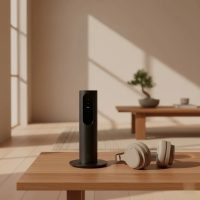
In today’s entertainment landscape, the phrase “best tv streaming device” isn’t just a buzzword; it’s a quest for seamless, high-quality content at our fingertips. Even with smart TVs becoming the norm, a dedicated streaming device often provides a superior and more reliable gateway to your favorite shows, movies, and apps. As a software engineer and a streaming stick expert at Tsauk.com, I’ve spent over a decade dissecting these gadgets to help you navigate the crowded market. Let’s dive in and find the perfect streaming companion for your living room.

Why a Dedicated Streaming Device Still Reigns Supreme
A dedicated streaming device offers advantages like wider app support, consistent software updates, and more powerful hardware, ensuring a smoother and more satisfying entertainment experience than relying solely on your TV’s built-in operating system. It can also breathe new life into an older television, instantly upgrading its capabilities to modern standards.
Key Factors to Consider When Choosing Your Best TV Streaming Device
Selecting the best tv streaming device involves more than just picking the cheapest or most popular option. It’s about understanding what truly matters for your viewing habits and existing tech ecosystem.
1. Picture and Sound Quality (4K, HDR, Dolby Vision, Dolby Atmos)
When evaluating picture and sound, look for support for 4K Ultra HD for sharper visuals and HDR (High Dynamic Range) formats like HDR10, HDR10+, and especially Dolby Vision for more vibrant colors and contrast. For immersive audio, ensure the device supports Dolby Atmos.
What do all these terms mean for my viewing? These advanced formats deliver a significantly richer visual experience with more detail and lifelike colors, along with spatial audio that makes you feel part of the action, elevating your overall entertainment.
2. Performance and Connectivity (Processor, Wi-Fi 6/6E, Ethernet)
The device’s processor dictates how swiftly it navigates menus and launches apps. For optimal streaming, especially 4K content, look for Wi-Fi 6 or 6E support for faster, more stable wireless connections, particularly in busy home networks. An Ethernet port provides the most reliable wired connection, essential for high-bandwidth activities or if your Wi-Fi is spotty.
Streaming sticks vs. streaming boxes: Does size matter for performance? Generally, streaming boxes often house more powerful processors and offer additional ports like Ethernet and USB, leading to snappier performance and more reliable connectivity compared to their more compact stick counterparts.
3. User Interface and Ease of Use
A user-friendly interface is paramount for a frustration-free experience. Some platforms prioritize simplicity with a clean grid of apps, while others offer content-forward recommendations that might feel cluttered with promotions. Consider how easily you want to find content and if you prefer a neutral platform or one that pushes specific services.
4. Ecosystem Integration (Alexa, Google Assistant, Siri, HomeKit)
|
Our Picks for the Best Streaming Stick in 2026
As an Amazon Associate I earn from qualifying purchases.
|
||
| Num | Product | Action |
|---|---|---|
| 1 | Roku Streaming Stick Plus 2025 - 4K & HDR Roku Streaming Device for TV with Voice Remote - Free & Live TV |

|
| 2 | 4K HDR Smart TV Stick, Ultra-Portable Android 11 Media Player, Dual-Band 5G WiFi & Voice Remote 2GB RAM 16GB ROM H313 Quad-Core for Home Theaters and Smart TV Upgrades |
|
| 3 | Roku Streaming Stick 4K - HDR & Dolby Vision Roku Streaming Device for TV with Voice Remote & Long-Range Wi-Fi - Free & Live TV |
|
| 4 | Roku Express 4K+ - Roku Streaming Device 4K/HDR with Voice Remote, Free & Live TV |
|
| 5 | 4K HDR Smart TV Stick, Ultra-Portable Android 12 Media Player, 2GB RAM 16GB ROM H313 Quad-Core, Dual-Band 5G WiFi & Voice Remote for Home Theaters and Smart TV Upgrades |
|
| 6 | Google TV Streamer 4K - Fast Streaming Entertainment on Your TV with Voice Search Remote - Watch Movies, Shows, Live TV, and Netflix in 4K HDR - Smart Home Control - 32 GB of Storage - Porcelain |
|
| 7 | Roku Ultra - Ultimate Streaming Player - 4K Streaming Device for TV with HDR10+, Dolby Vision & Atmos - Bluetooth & Wi-Fi 6- Rechargeable Voice Remote Pro with Backlit Buttons - Free & Live TV |
|
| 8 | ONN Android TV 2K FHD Streaming Stick with Remote Control & Power Adapter WiFi HDMI Chromecast Built-in |
|
| 9 | GREVA Android TV Stick 4K Ultra HD Streaming Device, 2025 Latest Android 14.0 TV Stick with Voice Assistant Remote Control, RK3518 2GB 16GB 2.4G/5G WiFi6 BT 5.0 HDR Streaming Media Player for Smart TV |
|
| 10 | Roku Streaming Stick HD 2025 — HD Streaming Device for TV with Roku Voice Remote, Free & Live TV |
|
Your existing smart home devices and voice assistants should influence your choice. Amazon Fire TV integrates deeply with Alexa, Google TV with Google Assistant, and Apple TV with Siri and HomeKit, offering seamless control and cross-device functionality.
5. App Availability and Content Library
While most major streaming services are universally available, some platforms may offer a wider selection of niche apps or prioritize content from their own services. Roku is known for its platform-neutral approach and vast app store, while Amazon Fire TV heavily promotes Prime Video content.
6. Price and Value
Streaming devices range from budget-friendly sticks under $30 to premium boxes exceeding $100. Evaluate the cost against the features, performance, and ecosystem benefits. A higher price can be justified by superior performance, advanced features, and an ad-free experience.
Diving Deep: The Best TV Streaming Devices for Every Need
“As a software engineer and streaming stick expert with over a decade of experience, I’ve seen these devices evolve from basic dongles to the sophisticated hubs of our home entertainment,” says Alex Chen, Lead Technology Editor at Tsauk.com. “Choosing the right one is less about ‘the best’ and more about ‘the best for you and your unique viewing habits and ecosystem.'”
Roku: The User-Friendly Champion
Roku devices are renowned for their straightforward and intuitive interface, making them ideal for users who value simplicity and a platform-neutral experience. They offer a vast selection of apps and a powerful universal search function.
- Key Models: Roku Streaming Stick 4K, Roku Ultra.
- Pros: Exceptionally user-friendly interface, extensive app support, platform-agnostic, excellent value. The Roku Streaming Stick 4K supports 4K HDR with Dolby Vision and enhanced Wi-Fi, while the Roku Ultra adds a faster processor, Ethernet, USB, and a feature-rich rechargeable remote.
- Cons: Some models lack high-end audio codecs like Dolby Atmos (except Ultra), app selection isn’t as extensive as Google or Apple platforms for certain niche content.
What makes Roku ideal for casual streamers? Roku’s simple, tile-based interface avoids clutter and prioritizes easy access to all your subscribed services without pushing proprietary content, making it perfect for those who want to jump straight into their entertainment.
Amazon Fire TV: For the Amazon Ecosystem Enthusiast
Amazon Fire TV devices are deeply integrated with the Amazon ecosystem, especially Prime Video and Alexa. They offer robust performance and a content-forward interface that highlights Amazon’s offerings.
- Key Models: Amazon Fire TV Stick 4K Max, Amazon Fire TV Cube.
- Pros: Strong Alexa integration for voice control and smart home management, Wi-Fi 6/6E support (4K Max/Cube), Dolby Vision and Dolby Atmos support, often available at competitive prices. The Fire TV Cube also functions as a hands-free Echo speaker and can control other entertainment devices via infrared.
- Cons: The interface can feel heavily biased towards Amazon content and includes advertisements, which might annoy users not fully invested in the Amazon ecosystem.
How does Fire TV integrate with Alexa? Fire TV devices allow for comprehensive voice control of your streaming content, smart home devices, and general information retrieval via Alexa, with the Fire TV Cube offering hands-free control and even the ability to change TV channels using voice commands.
Google TV Streamer: Smart Recommendations and Google Integration
The Google TV Streamer 4K is Google’s latest offering, replacing the Chromecast line with a full-fledged streaming platform featuring a personalized, content-aggregating interface and robust Google Assistant integration.
- Key Models: Google TV Streamer 4K.
- Pros: Excellent content recommendations across services, powerful Google Assistant voice control, Chromecast built-in for easy casting, supports a full range of 4K HDR and high-end audio codecs like Dolby Vision and Dolby Atmos. The Streamer 4K includes an Ethernet port and can act as a Thread Border Router for smart home enthusiasts.
- Cons: Some users might find Google’s AI-driven recommendations intrusive, and Google has a history of discontinuing products.
What’s new with the Google TV Streamer 4K? The Google TV Streamer 4K is Google’s newest device, replacing the Chromecast line entirely. It offers enhanced performance, includes a physical remote, an Ethernet port, and deep smart home integration, along with AI features for content summaries and custom screensavers.
Apple TV 4K: The Premium Experience for Apple Aficionados
The Apple TV 4K offers a premium streaming experience characterized by powerful hardware, a clean, ad-free interface, strong privacy features, and seamless integration with the Apple ecosystem. It’s also a capable gaming platform and a smart home hub.
- Key Models: Apple TV 4K (Wi-Fi, Wi-Fi + Ethernet).
- Pros: Unmatched performance with the A15 Bionic chip, ad-free tvOS interface, Dolby Vision and Dolby Atmos support, excellent gaming capabilities via Apple Arcade, deep integration with Apple services and AirPlay, acts as a HomeKit and Matter controller.
- Cons: It’s the most expensive option on the market, offering less “value” if you’re not deeply invested in the Apple ecosystem.
Is the Apple TV 4K worth its higher price? For Apple users seeking the smoothest performance, an ad-free experience, superior privacy, and tight integration with their iPhones, iPads, and other Apple devices, the Apple TV 4K’s premium price is often justified by its exceptional build and software quality.
NVIDIA Shield TV Pro: Powerhouse for Enthusiasts and Gamers
The NVIDIA Shield TV Pro is less of a simple streaming stick and more of a mini-PC, designed for power users, gamers, and those who want a robust media server. It runs Android TV, offering extensive customization options.
- Key Models: NVIDIA Shield TV Pro.
- Pros: Best-in-class AI-enhanced 4K upscaling, exceptional performance for streaming and gaming, supports Plex Media Server, access to a full library of Android TV apps and GeForce Now cloud gaming, features two USB 3.0 ports and Gigabit Ethernet.
- Cons: It’s the bulkiest and one of the most expensive options, and its Android TV interface can feel less polished than others. It’s not as “plug-and-play” as simpler devices.
Why choose NVIDIA Shield TV Pro for advanced users? The NVIDIA Shield TV Pro is the ultimate choice for tech enthusiasts due to its powerful processor, AI-upscaling, and ability to serve as a Plex media server and a cloud gaming hub, offering unparalleled performance and customization for a comprehensive home entertainment setup.
Expert Pick: My Top Recommendation for the Best TV Streaming Device
For the majority of users seeking a balanced blend of performance, ease of use, and value, I often recommend the Roku Streaming Stick 4K. Its simple interface, broad app support, and excellent picture quality for under $50 make it a fantastic choice for enhancing almost any TV. However, if you’re already deeply invested in the Apple ecosystem and demand the absolute best in performance, privacy, and gaming, the Apple TV 4K is an unparalleled choice, despite its higher price tag.
FAQs: Your Burning Questions About Streaming Devices Answered
Q1: Do I really need a streaming device if my TV is smart?
Yes, a dedicated streaming device often provides a superior experience with faster processors, more consistent software updates, broader app support, and a more intuitive interface than the smart operating system built into your TV. It can also extend the life of an aging smart TV.
Q2: What is the difference between a streaming stick and a streaming box?
A streaming stick is compact, plugging directly into your TV’s HDMI port, offering portability. A streaming box is larger, connects via an HDMI cable, and typically provides more powerful hardware, additional ports (like Ethernet), and enhanced performance for advanced tasks or gaming.
Q3: Which streaming device is best for gaming?
The NVIDIA Shield TV Pro is generally considered the best for serious gaming and media enthusiasts due to its powerful processor and support for cloud gaming services like GeForce Now. The Apple TV 4K also offers robust gaming capabilities through Apple Arcade.
Q4: Can I avoid ads on streaming devices?
Some platforms, like Apple TV 4K, offer an almost entirely ad-free user interface. Other devices, particularly Amazon Fire TV, tend to integrate advertisements and promote their own content heavily. Roku generally has fewer ads than Fire TV but more than Apple TV.
Q5: How important is Wi-Fi 6 or Ethernet for streaming?
Wi-Fi 6/6E is highly beneficial for faster and more stable wireless streaming, especially in homes with many connected devices or when streaming 4K content. An Ethernet port, though less common on sticks, provides the most reliable and consistent connection, eliminating potential Wi-Fi interference.
Conclusion
Choosing the best tv streaming device ultimately comes down to your personal needs, budget, and how it fits into your existing digital life. Whether you prioritize a simple, platform-neutral interface, deep ecosystem integration, raw power for gaming, or an ad-free premium experience, there’s a perfect streaming device out there for you. Take the plunge, upgrade your home entertainment, and unlock a world of content with the right streaming companion. Share your experiences and discover new ways to enjoy your favorite shows and movies – the ultimate goal is always a brilliant, hassle-free streaming experience!
Get our weekly buyer guide
Practical specs, not advice. Unsubscribe anytime.