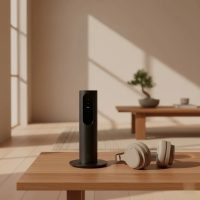
Welcome to the exciting world of home entertainment, where the Amazon Fire TV “box” can be your gateway to endless streaming. As a software engineer and streaming stick expert, I’ve spent over a decade developing applications and optimizing device performance. I’m here to demystify these powerful little gadgets and help you get the most out of your Amazon Fire TV experience. Whether you’re a seasoned streamer or just starting, understanding what an Amazon Fire TV box offers can transform your living room into a cinematic hub.

At its core, an Amazon Fire TV device is designed to bring your favorite streaming services, apps, and games directly to your television. While many think of the popular “Fire TV Stick,” Amazon also offers a more robust, cube-shaped device often referred to informally as an Amazon Fire TV box: the Fire TV Cube. This powerful streamer combines the best of Fire TV with the hands-free convenience of an Echo smart speaker, offering a unique blend of entertainment and smart home control.
Demystifying the Amazon Fire TV Ecosystem
Amazon’s Fire TV lineup is vast, offering devices tailored for various needs and budgets. The key distinction often lies between the compact Fire TV Sticks and the more substantial Fire TV Cube. While “Amazon Fire TV Box” might not be an official product name for a single current device, it commonly refers to the Fire TV Cube, which truly fits the “box” description with its distinct form factor and advanced capabilities compared to the stick versions.
The Fire TV Sticks are dongle-like devices that plug directly into your TV’s HDMI port, designed for portability and discreet placement. The Fire TV Cube, however, is a tabletop device that sits proudly with your other AV equipment, acting as both a premium streaming player and a powerful smart home hub. This “box” brings more processing power, additional connectivity options, and an integrated Alexa experience that sets it apart.
The Powerhouse: A Deep Dive into the Amazon Fire TV Cube (The “Fire Box”)
When we talk about the Amazon Fire TV box in its most capable form, we’re talking about the Fire TV Cube. This device isn’t just a streamer; it’s a command center for your entertainment and smart home.
Unrivaled Features and Performance
The Fire TV Cube stands out with several high-end features. It boasts a significantly more powerful processor than its stick counterparts, ensuring buttery-smooth navigation, faster app loading, and exceptional performance for demanding tasks like cloud gaming. This translates to a noticeably snappier and more responsive user interface.
One of the most compelling aspects of the Fire TV Cube is its integrated far-field microphones, which enable hands-free Alexa control. You can simply speak commands like, “Alexa, play ‘The Crown’ on Netflix,” or “Alexa, turn off the living room lights,” without ever touching the remote. This makes it a true smart home device, allowing you to control compatible smart lights, thermostats, and other gadgets directly from your couch.
Connectivity is another area where the Amazon Fire TV box excels. Unlike Fire TV Sticks, the Fire TV Cube includes a built-in Ethernet port, providing a stable wired internet connection crucial for flawless 4K streaming, especially if your Wi-Fi network isn’t always reliable. It also supports Wi-Fi 6E, offering faster speeds and lower latency with a compatible router, making it future-proof for advanced network setups.
The Fire TV Cube supports stunning 4K Ultra HD resolution, along with advanced HDR formats like Dolby Vision, HDR10, HDR10+, and HLG. For an immersive audio experience, it offers native Dolby Atmos support, delivering rich, multidimensional sound to compatible sound systems. This ensures a top-tier audiovisual experience for all your content.
“The Fire TV Cube truly redefines the living room experience,” says Anya Sharma, a leading expert in smart home technology. “It’s more than a streaming device; it’s the brain of your entertainment system, seamlessly integrating with your smart home setup.”
Who Benefits Most from the Fire TV Cube?
|
Our Picks for the Best Streaming Stick in 2026
As an Amazon Associate I earn from qualifying purchases.
|
||
| Num | Product | Action |
|---|---|---|
| 1 | 4K HDR Smart TV Stick, Ultra-Portable Android 12 Media Player, 2GB RAM 16GB ROM H313 Quad-Core, Dual-Band 5G WiFi & Voice Remote for Home Theaters and Smart TV Upgrades |

|
| 2 | Roku Streaming Stick HD 2025 — HD Streaming Device for TV with Roku Voice Remote, Free & Live TV |
|
| 3 | Roku Ultra - Ultimate Streaming Player - 4K Streaming Device for TV with HDR10+, Dolby Vision & Atmos - Bluetooth & Wi-Fi 6- Rechargeable Voice Remote Pro with Backlit Buttons - Free & Live TV |
|
| 4 | 4K HDR Smart TV Stick, Ultra-Portable Android 11 Media Player, Dual-Band 5G WiFi & Voice Remote 2GB RAM 16GB ROM H313 Quad-Core for Home Theaters and Smart TV Upgrades |
|
| 5 | Google TV Streamer 4K - Fast Streaming Entertainment on Your TV with Voice Search Remote - Watch Movies, Shows, Live TV, and Netflix in 4K HDR - Smart Home Control - 32 GB of Storage - Porcelain |
|
| 6 | ONN Android TV 2K FHD Streaming Stick with Remote Control & Power Adapter WiFi HDMI Chromecast Built-in |
|
| 7 | GREVA Android TV Stick 4K Ultra HD Streaming Device, 2025 Latest Android 14.0 TV Stick with Voice Assistant Remote Control, RK3518 2GB 16GB 2.4G/5G WiFi6 BT 5.0 HDR Streaming Media Player for Smart TV |
|
| 8 | Roku Streaming Stick Plus 2025 - 4K & HDR Roku Streaming Device for TV with Voice Remote - Free & Live TV |
|
| 9 | Roku Express 4K+ - Roku Streaming Device 4K/HDR with Voice Remote, Free & Live TV |
|
| 10 | Roku Streaming Stick 4K - HDR & Dolby Vision Roku Streaming Device for TV with Voice Remote & Long-Range Wi-Fi - Free & Live TV |
|
The Amazon Fire TV box, or Cube, is ideal for users who:
- Demand the absolute best performance for streaming and navigation.
- Want hands-free Alexa voice control for their TV and smart home devices.
- Require a stable, wired Ethernet connection for streaming.
- Are building or already have a smart home ecosystem they want to integrate.
- Are serious about cloud gaming and need robust processing power.
- Seek the highest quality 4K HDR video and Dolby Atmos audio.
Amazon Fire TV Cube vs. Fire TV Sticks: A Head-to-Head Comparison
While the Fire TV Cube (our “amazon fire box” for today) offers premium features, it’s important to understand how it stacks up against Amazon’s highly popular Fire TV Sticks.
Key Differentiating Factors
The most significant differences lie in price, form factor, and advanced capabilities:
- Price: The Fire TV Cube is considerably more expensive than any Fire TV Stick model. You’re paying for the enhanced processing, built-in Echo capabilities, and additional ports.
- Form Factor: Sticks are discreet and plug directly into an HDMI port, often hidden behind the TV. The Cube is a noticeable tabletop device.
- Hands-Free Alexa: This is a major selling point for the Fire TV Cube. While Sticks have Alexa Voice Remotes, you need to press a button to activate Alexa. The Cube listens constantly (like an Echo speaker), allowing for truly hands-free commands.
- Connectivity: The Cube has a built-in Ethernet port. Fire TV Sticks require an optional adapter for a wired connection, which adds to the cost and clutter.
- Processing Power & Storage: The Cube typically features a more powerful processor (often octa-core) and sometimes more storage (e.g., 16GB) than most Sticks (usually 8GB), leading to faster performance and more space for apps. Even the Fire TV Stick 4K Max (2nd Gen, 2023) boasts 16GB of storage and a fast processor, narrowing this gap for the premium stick.
- Wi-Fi: Both the latest Fire TV Cube and Fire TV Stick 4K Max support Wi-Fi 6E, ensuring excellent wireless performance with compatible routers.
Popular Stick Models and Their Place
For many users, the Fire TV Stick 4K Max (2nd Gen, 2023) and the Fire TV Stick 4K (2nd Gen, 2023) offer an incredible balance of features and value. They both support 4K Ultra HD, Dolby Vision, and Dolby Atmos (though the 4K Max often has more robust processing and Wi-Fi 6E). These sticks are excellent choices if you don’t need the hands-free Alexa or built-in Ethernet of the Fire TV Cube, or if budget is a primary concern. The standard Fire TV Stick (HD) is perfect for 1080p TVs or secondary screens, while the Fire TV Stick Lite offers a very basic, budget-friendly entry point.
Choosing Your Amazon Fire TV Device
Deciding between an Amazon Fire TV box (Cube) and a Fire TV Stick boils down to your specific needs:
- Budget Streamer: Consider the Fire TV Stick HD or Lite for basic 1080p streaming.
- 4K Enthusiast on a Budget: The Fire TV Stick 4K is an excellent choice.
- Premium Stick Experience: The Fire TV Stick 4K Max delivers top-tier stick performance with Wi-Fi 6E and enhanced features.
- Ultimate “Amazon Fire Box” Experience: The Fire TV Cube is for those who want the most powerful Amazon streamer, hands-free Alexa, smart home control, and an integrated Ethernet port. It offers the most comprehensive home entertainment experience.
Setting Up Your Amazon Fire TV Device
Whether you choose an Amazon Fire TV box or a Fire TV Stick, the setup process is generally straightforward.
- Unpack and Connect:
- For Sticks: Plug the Fire TV Stick directly into an HDMI port on your TV. Connect the included power adapter to the stick and then to a wall outlet.
- For Cube: Place the Fire TV Cube near your TV. Connect the power adapter to the Cube and then to a wall outlet. Connect an HDMI cable from the Cube to an HDMI input on your TV. For a wired connection, plug an Ethernet cable into the Cube’s built-in port.
- Power On Your TV: Select the correct HDMI input for your Fire TV device.
- Remote Setup: Insert the batteries into your Alexa Voice Remote. Your device should automatically pair with the remote. If not, press and hold the Home button for 10 seconds.
- Network Connection: Follow the on-screen instructions to connect to your Wi-Fi network. If using an Amazon Fire TV box (Cube) with Ethernet, it should connect automatically.
- Amazon Account: Sign in with your Amazon account. If you don’t have one, you’ll be prompted to create one.
- App Installation: Select your preferred streaming apps to install. You can always add more later from the Appstore.
- Enjoy! Your Amazon Fire TV is ready to go.
Optimizing Performance and Troubleshooting Common Issues
Even the most powerful Amazon Fire TV box can sometimes benefit from a little TLC. Here are some tips and common troubleshooting steps:
Performance Optimization Tips
- Clear Cache: Over time, app caches can slow down your device. Go to Settings > Applications > Manage Installed Applications, select an app, and choose “Clear Cache.”
- Close Unused Apps: While Fire OS manages background apps well, closing those you’re not actively using can free up resources.
- Check Wi-Fi Signal: A strong, stable Wi-Fi connection is crucial. Ensure your router is centrally located and not obstructed. For the Amazon Fire TV box (Cube), use the Ethernet port for maximum stability.
- Update Software: Always keep your Fire TV device updated to the latest Fire OS version. Go to Settings > My Fire TV > About > Check for Updates.
- Restart Regularly: A simple restart can resolve many minor performance glitches. Go to Settings > My Fire TV > Restart, or simply unplug it for 30 seconds and plug it back in.
Common Troubleshooting Steps
- Remote Not Working: Check batteries. Re-pair the remote by holding the Home button for 10 seconds near the device.
- No Picture/Sound: Ensure your Amazon Fire TV box/stick is plugged in, powered on, and your TV is on the correct HDMI input. Check HDMI cables for secure connections.
- Buffering/Lagging: Improve your internet speed or switch to a wired connection if using a Fire TV Cube. Try restarting your router.
- App Crashing: Clear the app’s cache or uninstall and reinstall the app.
- Alexa Not Responding (Cube): Ensure the microphone is not muted (there’s usually a button on top of the Cube). Check for software updates.
The Best Streaming Apps and Services on Amazon Fire TV
One of the greatest strengths of any Amazon Fire TV box or stick is its vast library of streaming apps and services. You’ll find almost every major platform readily available:
- Popular Choices: Netflix, Amazon Prime Video, Disney+, Hulu, YouTube, Max (formerly HBO Max), Peacock, Apple TV+.
- Live TV: Sling TV, YouTube TV, FuboTV, Philo, DirecTV Stream.
- Free Content: Amazon Freevee, Tubi, Pluto TV, Crackle.
- Music: Amazon Music, Spotify, Pandora.
- Gaming: Amazon Luna, Xbox Cloud Gaming (on 4K models and Cube).
The Fire OS interface makes it easy to navigate and discover new content, with personalized recommendations and quick access to your favorite services.
Frequently Asked Questions (FAQ)
What exactly is an Amazon Fire TV Box?
An Amazon Fire TV Box, in current terms, most commonly refers to the Amazon Fire TV Cube. It’s Amazon’s most powerful streaming media player, shaped like a cube, which integrates a Fire TV streaming device with a hands-free Alexa speaker, offering advanced features and connectivity.
How is the Fire TV Cube different from a Fire TV Stick?
The Fire TV Cube offers a more powerful processor, hands-free Alexa voice control, a built-in Ethernet port, and more versatile smart home integration compared to the smaller, HDMI dongle-style Fire TV Sticks. Sticks typically require pressing a button on the remote to activate Alexa, and need an adapter for a wired connection.
Can I use an Amazon Fire TV Box without an Amazon Prime subscription?
Yes, you can use any Amazon Fire TV device, including the Amazon Fire TV Box (Cube), without an Amazon Prime subscription. While a Prime membership unlocks Prime Video content and other benefits, you can still access and use countless other streaming apps like Netflix, Disney+, and YouTube.
Does the Amazon Fire TV Cube support 4K and HDR?
Absolutely. The Amazon Fire TV Cube supports 4K Ultra HD resolution, along with various HDR formats including Dolby Vision, HDR10, HDR10+, and HLG, providing a stunning visual experience on compatible TVs.
Is the Fire TV Cube good for gaming?
Yes, thanks to its powerful processor and typically more RAM, the Fire TV Cube offers an excellent experience for cloud gaming services like Amazon Luna and Xbox Cloud Gaming. It provides smoother gameplay and faster loading times compared to less powerful Fire TV Sticks.
Can I control my smart home devices with the Amazon Fire TV Box?
Yes, the Amazon Fire TV Cube acts as a central hub for your smart home. With its built-in far-field microphones, you can use hands-free Alexa commands to control compatible smart lights, thermostats, cameras, and other smart home gadgets.
What operating system does the Amazon Fire TV Box use?
The Amazon Fire TV Cube runs on Fire OS, which is Amazon’s customized operating system based on Android. This OS provides a user-friendly interface optimized for streaming and offers access to Amazon’s vast Appstore.
Conclusion
The Amazon Fire TV box, specifically the Fire TV Cube, stands as a testament to Amazon’s commitment to enhancing your home entertainment. It’s more than just a streaming device; it’s an integrated entertainment system and smart home controller that brings your favorite content to life with exceptional quality and convenience. By understanding its capabilities, comparing it with other Fire TV options, and applying these practical tips, you can unlock a truly optimized streaming experience. So go ahead, plug in your Amazon Fire TV box, dive into your favorite shows, and let your entertainment journey begin. Share your experiences and discover new ways to make your streaming stick work for you!
Get our weekly buyer guide
Practical specs, not advice. Unsubscribe anytime.